Sunday, December 03, 2006

What is DHCP,NetBIOS Name,WINS,DNS?


Dynamic Host Configuration Protocol(DHCP):
DHCP is a TCP/IP standard designed to reduce the complexity of administering Address configurations by using a Server. The DHCP server centralizes and manages the allocation of TCP/IP configuration by automatically assigning IP Addresses,Subnet Mask and Default gateway to computers that have been configured to use DHCP.

Whenever a DHCP server receives request from a DHCP client then DHCP server selects an IP Address from a pool of addresses defined in database then offers it to the client for a specified period of time. So client receives valid IP Address.

Suppose we manually configuring IP Addresses,Subnet mask and Gateway. Then entering an invalid IP Address or IP Address currently in use can result in network problems. Entering an incorrect Subnet mask can cause communication problems with other networks.

NetBIOS Name:
It is the computer or host name assigned during installation. The Registry stores this name as an entry. We can change this name through the network program in control panel. The name can be 15 characters in length and we can add a 16 character to the name to designate the application that registered the name.

Windows Internet name Service(WINS):
WINS registers NetBIOS computer names and resolve them to IP Addresses. The database of WINS is DYNAMIC. WINS is designed for Microsoft operating systems only.

If the WINS client initiates a NetBIOS command to communicate with another host then the name query request is sent to WINS server. If the WINS server finds a NetBIOS name/IP address mapping for a host in its database then it returns the destination host's IP Address to the WINS client.

Domain Name System(DNS):
DNS is a system for naming computers and network services. These names are organized into a hierarchy of domains. DNS is used in TCP/IP networks,such as the internet,to locate computers and services through user friendly names. When a user enters a DNS name in an application then DNS services can resolve the name to an IP Address.

Suppose there is a mail server on a network. It has it's own numeric Address. For most users it is difficult to remember the numeric address of the server. Then DNS system names this computer with a user friendly name like example.companymail.com. Any one can remember this type of user friendly name very easily. But computers communicate over network by using numeric Addresses. So DNS services can resolve this user friendly name to it's numeric Address.

DNS uses a client server model in which DNS servers(Name servers) contain information about the DNS database and make this information available to clients(Resolvers).

In brief DNS resolves internet names to IP Addresses. DNS database is static and manually updated whenever a new host is added or an existing host is moved to another subnet. DNS is designed for both Microsoft operating systems and Non Microsoft operating systems such as MainFrames running TCP/IP and UNIX based computers.

Note: Articles on Windows NT,Windows 2000 Server,Windows 2003 Server will come soon on my blog under the same NETWORKING section.


FAT/FAT32/NTFS File Systems


Windows NT Server 4.0 supports FAT(FAT 16) and NTFS file systems. It does not support FAT 32 file system. FAT 32 was designed for win 95/98. If you want to install both Win98 and Windows NT Server 4.0 in a computer then use FAT 16 partitions. FAT 16 supports both Win98/Windows NT Server 4.0. For format the hard disk to FAT 16 partitions you need DOS BOOT DISKETTE and disk manager 9.46 softwares.

Windows 2000 Server supports FAT(FAT 16),FAT 32 and NTFS file systems. If you want to install Active directory then you must have NTFS partitions on your server's hard drives.

Windows Server 2003 supports FAT(FAT 16),FAT 32 and NTFS file systems. If you want to install Active directory then you must have NTFS partitions on your server's hard drives.

FAT: FAT system establishes a file allocation table that provides the name of the file and the location of clusters that make up the file on the hard disk. Even if the file is scattered around the disk,the table makes it possible for the FAT to monitor and find all parts of the file.

FAT is the least complicated type of Windows supported file system. FAT has minimal overhead(less than 1 MB). So it is most applicable to drives or partitions under 400 MB. FAT resides at the top of the fixed allocated space on the hard disk. Two copies of Fat are maintained for security purpose. FAT is updated regularly. FAT supports only network shares.

FAT supports read-only,hidden,system and archive file attributes only. FAT uses 8.3 filenaming convention. A filename may be up to eight characters long,then followed by a period (.),then with an extension of up to three characters. All filenames must be created with ASCII character set. They must start with a letter or a number. Names are not case-sensitive.

FAT performance decreases as the size of the volume increases. So FAT file system is not recommended with drives or partitions larger than 400 MB. It is not possible to set security permissions on files in FAT partitions. FAT does not support local security. Under Windows FAT partitions are limited to a maximum size of 4 GB.

FAT 32: It is an extension of the FAT file system. It uses disk space on a disk more efficiently than FAT.

NTFS: NT file system provides the stability and security. NTFS 5 is the newest version of the NT file system. It provides increased security for files and supports more robust file system recovery. NTFS enables setting file and directory control permissions. NTFS supports both local and remote user permissions on both local and shared files or folders.

NTFS uses 255.3 filenaming convention. NTFS file or directory names may be up to 255 characters long,then followed by a period (.),then with an extension of up to three characters. These names are not case-sensitive. They must start with a letter or a number.

NTFS performance does not degrade as the size of the volume increases. NTFS is best used on volumes of 400 MB or more. NTFS has 1-5 MB overhead. So NTFS should not be used on volumes smaller than 400 MB. Since NTFS overhead does not fit on a floppy,we can not format a floppy with NTFS. NTFS supports partition size of 2 terabytes.

Note: Articles on Windows NT,Windows 2000 Server,Windows 2003 Server will come soon on my blog under the same NETWORKING section.

Saturday, December 02, 2006

The PING(Packet Internet Gropher) Utility

The ping utility is used for testing connections. With the help of ping command we can test whether a connection is still active or not. The ping command is available on most operating systems that implement TCP/IP.

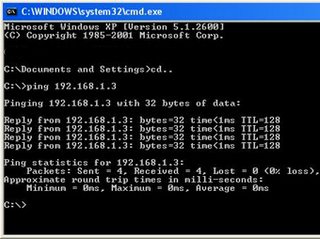
The ping command is used to query another system to ensure that a connection is still active. The ping program sends an ICMP message to the remote and waits for a reply. If the destination machine's IP software receives the ICMP request,it issues an echo reply immediately. The sending machine continues to send an echo request until the ping program is terminated. After termination ping displays a set of statistics as shown below.


We can also use PING to isolate network hardware problems and incompatible configurations. You can use the PING like below.

1. Ping the Loopback address to verify that TCP/IP is installed and configured correctly on the local computer.

ping 127.0.0.1

2. Ping the IP Address of the local computer to verify that it was added to the network correctly.

If a computer is on a network and it's IP Address is 192.168.1.3 then use ping command like this.

ping 192.168.1.3

3. Ping the IP Address of the Gateway to verify that the default Gateway is functioning and that you can communicate with a local host on the local network.

If the default Gateway is 192.168.1.1 then use the ping command like this.

ping 192.168.1.1

4. Ping the IP Address of a remote host to verify that you can communicate through a router.
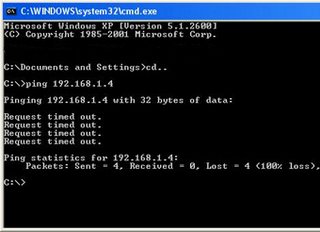
By default PING waits 1000 ms(1 second) for each response to be returned. If it does not receive the response then it will display Request Timed Out message like this.


Note: Articles on Windows NT,Windows 2000 Server,Windows 2003 Server will come soon on my blog under the same NETWORKING section.

How can you clean the LENS of CD,DVD Drives and Writers?


If there are dust particles on the Lens of CD or DVD drives and writers then they won't read Cd's or Dvd's. We can clean the Lens with one or two water drops like this.

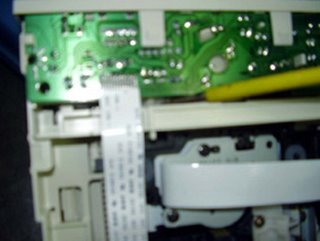
First unscrew the Drive from the computer. Take it out from the computer. You will observe 4 screws on one side of the CD Drive. Unscrew those four screws. Then open the iron sheet cover from the drive. Then you will observe like this.


In the above figure you will observe that Door of the CD Drive is locked and front plastic cover is also locked. The screw driver is showing door locking point in the above figure. You can clearly observe it from the figure below.


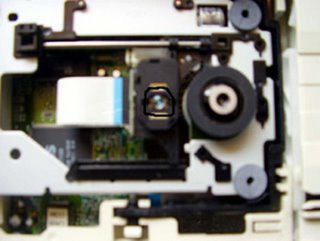
With the help of screw driver move the locking point to the left. Then door lock will be released. Now you can release the front plastic cover by pressing two small plastic locks on left and right sides of the drive. Now remove the second iron sheet cover also. Then you will observe the CD LENS as shown below.


The CD Lens is in the circled mark(The Door of the CD drive covers the Lens). Now with your finger put one drop of water on the Lens then clean the lens with a clean paper until it dries. Now cleaning Lens is completed. Now arrange the CD drive as usual then Fit it to the computer as usual.

NOTE: After reading this article first observe the cleaning procedure when any experienced person is doing the Lens cleaning. You can easily understand how he is doing the Lens cleaning. After you got confidence then you can also do the same as explained above.


Which 3D card is cheap&best for old AGP 4X Mother Boards to run almost all latest games?


Old PC's have Mother Boards which support AGP 4X 3D cards only. We can use AGP 8X 3D cards also on these boards. But these Old AGP 4X Mother Boards won't support latest 3D cards. If your system has old AGP 4X card then you can not play latest games on this card. Here is the solution to play almost all latest games on your PC.

You can not upgrade your 3D card to latest 3D card as your mother board won't support latest 3D cards. But Your old AGP 4X Mother Board will support AGP 8X 3D cards. The cheap and best card for this type of mother boards is 256 MB DDR GEFORCE FX 5200. This is AGP 8X 3D card.

One more important thing. For almost all latest games to work on this card you have to install atleast 1GB RAM in your system. Also you have to install latest display drivers for all games to work. You can download latest nvidia display drivers from softwares section on the same blog. First check whether your system is working well with 1 GB RAM or not? If your system is O.K with 1 GB RAM then only purchase GEFORCE FX 5200 3D card. Games like FEAR will require atleast 1GB RAM.

Try to purchase the card from local dealer. If it is not available then you can purchase this card from WWW.EBAY.IN site at cheap price. Compare rates of local dealer and EBAY. I think EBAY rates may be cheap.