Your computer is connected to internet. We all know Internet is not a single network. Internet is a collection of networks. Also You know that every computer is identified by a unique IP Address to others on the network. Remember that this IP address is not the IP Address given by you manually in TCP/IP properties of your Local Area Connection. On the internet others can identify your machine by this unique IP Address only. You can know the IP Address of your computer by this simple method.
Just CLICK HERE to know your IP Address.
Monday, December 11, 2006
How can you Know the IP Address of your computer?


Get a Free Gmail Account within Seconds
Gmail is the free Email service provided by Google. With Gmail Account we will get 2810 MB free Email storage space. There are no Banner Advertisements in Gmail. This is the main attraction of Gmail. Still Gmail is in the Beta stage of development. So you can not get Gmail Account directly from the Gmail site. You will get Gmail account by invitation. After you created your Gmail account you can invite your friends from your account. Each Gmail account owner can send 50 invitations to their friends. You will get Gmail invitation by the following ways.
1.Gmail account creation is very simple. Visit the link given by me. Then the site will display a code. You just enter that code in a box provided by them,then click Get Gmail link below that box. Then Gmail account application will be open for you. Just fill the application and get your Gmail account within seconds.
Just CLICK HERE for free Gmail Account.
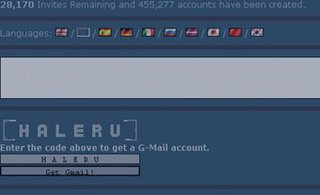
2.If for any reason if you wont get your Gmail account from the above link,then simply Email me for free Gmail invitation. My Email address is given in the blog under ABOUT ME section. It is snr.karri@gmail.com. As soon as you get a Gmail invitation from anybody use it up quickly. If you think you can use it later,then it will be declared invalid after sometime. Please check your junk mail folder for Gmail invitation if it is not found in inbox.
I will send you invitation as early as possible from my Gmail account.
Sunday, December 03, 2006
Installation of C,C++
From the C.D copy TURBOC,TURBOC2 folders to the C drive.
For installing C++ open TURBOC folder. Double click install file. Then it installs C++ by creating a folder TC in C drive. Then go to command prompt. In Windows XP type CMD in run box then you will go to command prompt. Then give the command
C:\TC\BIN> COPY C:\TC\BGI\*.BGI as shown in the figure below.

Now press enter. Then C++ will be installed in your computer. For C language no installation is needed. It is already in TURBOC2 folder.
How to Run C++,C languages software?
For C++ go to command prompt then give the command
C:\TC\BIN>TC
Then press enter. Then C++ window comes like this. But this window is not fullscreen window.

For C go to command prompt then give the command
C:\TURBOC2>TC
Then press enter. Then C window comes like this. But this window is not fullscreen window.

You can get full screen windows of both C++,C by following the procedure below.
Start the computer with a bootable C.D or Bootable Floppy then system will come to the A prompt A:\> then change directory to C drive by typing command C: at A:\> prompt like this.
A:\>C: then press enter. Then system will come to C prompt like this.
C:\>
For getting C++ window give the following command then press enter.
C:\TC\BIN>TC
For getting C window give the following command then press enter.C:\TURBOC2>TC
What are Domain Controllers,Member Servers,Stand Alone Servers?
Domain Controller:
A domain Controller is a computer that is running Windows NT Server 4.0 or Windows 2000 Server or Windows server 2003 operating system. Also Active Directory must be installed in both Windows 2000 Server and Windows Server 2003.
Domain Controller stores read-write copy of the domain database. Domain Controllers manage communication between users and domains,including user logon processes,authentication and directory searches. They store directory data and synchronize directory data using multimaster replication,ensuring consistency of information over time. Active Directory supports multimaster replication of directory data between all domain controllers in a domain.
Member server:
A Member Server is a computer that is running Windows NT Server 4.0 or Windows 2000 Server or Windows Server 2003 operating system. But Active Directory is not installed in both Windows 2000 Server and Windows Server 2003. A member server belongs to a domain but it is not a domain controller.
They can operate as file servers,application servers,webservers,database servers,firewalls,certificate servers and remote access servers. They does not process network account logons,participate in active directory replication,store domain security policy information.
By installing Active Directory we can promote a member server to a domain controller. Also we can demote a domain controller to a member server by uninstalling Active Directory.
Stand Alone Server:
A Stand Alone Server is a computer that is running Windows NT server 4.0 or Windows 2000 Server or Windows Server 2003 operating system but it is not a member of a domain. It is a member of a workgroup. These servers can share resources with other computers on the network.
Note: Articles on Windows NT,Windows 2000 Server,Windows 2003 Server will come soon on my blog under the same NETWORKING section.
What is Active Directory?
Introduction:
A Server in a Workgroup can supply services such as the internet connection sharing feature,the internet connection firewall,file and print services.
A Server in a Domain can be a domain controller,can supply services such as DNS and DHCP,or can serve as a router or remote access server.
To make windows 2000 server or windows server 2003 a domain controller we must install Active directory. Windows NT 4.0 do not support Active Directory. The Active Directory service is compatible with Windows NT Server 4.0. Active Directory supports the Windows NT LAN Manager protocol used by Windows NT. This enables authorized users and computers from a Windows NT domain to log on and access resources in Windows 2000 or Windows server 2003 domains. To clients running Windows 95,Windows 98,Windows NT that are not running Active Directory client software,a Windows 2000 server or Windows Server 2003 domain appears to be a Windows NT Server 4.0 Domain. Client computers running Windows XP professional,Windows 2000 Professional have the client software built in and can access Active Directory resources normally.
Active Directory:
Active Directory stores information about network objects,such as user accounts and shared printers and provides access to that information. With a single network logon,administrators can manage directory data and organization throughout their network and authorized network users can access resources anywhere on the network. Security is integrated with Active Directory through logon authentication and access control to objects in the directory. Policy based administration eases the management of complex networks also.
Active directory provides a central location for network administration and delegation of administrative authority. Active Directory includes one or more domains,each with one or more domain controllers. So it enables you to scale the directory to meet any network requirements. Users can use desktop tools to search Active Directory. So It privides flexible and global searching.
Active Directory provides Systematic synchronization of directory updates. Updates are distributed throughout the network through secure and cost efficient replication between domain controllers. We can connect to any domain controller remotely from any Windows based computer that has administrative tools installed.
Note: Articles on Windows NT,Windows 2000 Server,Windows 2003 Server will come soon on my blog under the same NETWORKING section.
Subscribe to:
Posts (Atom)